
Download Jellyfin – Free Open‑Source Media Center
Overview
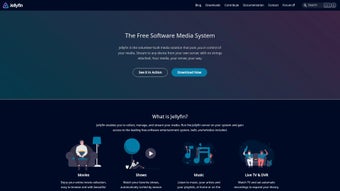
Jellyfin is a completely free, open‑source media‑center solution that lets you organize, stream, and enjoy your movies, TV shows, music, and photos from any device. Born from the last open‑source version of Emby, Jellyfin retains the polished user interface of its commercial predecessor while stripping away any licensing fees, ads, or cloud‑based tracking. This makes it an attractive alternative for users who value privacy, flexibility, and community‑driven development.
Whether you have a modest home‑theater PC or a powerful NAS, Jellyfin can be installed on Windows, macOS, Linux, Android, and iOS, providing a consistent experience across smartphones, tablets, smart TVs, and web browsers. Its core philosophy is “you own your data,” meaning all media files stay on your own hardware and never get uploaded to third‑party servers. Jellyfin also supports advanced playback options such as variable speed, custom aspect ratios, and “SyncPlay” – a synchronized streaming mode that allows friends to watch the same content together in real time, complete with chat support.
In short, Jellyfin delivers a feature‑rich, secure, and cost‑free media hub that can scale from a single‑room setup to a whole‑house entertainment system.
Key Features of Jellyfin
- Free and Open‑Source: No subscription, no hidden fees, and a vibrant community that constantly adds plugins and improvements.
- Cross‑Platform Support: Native clients for Windows, macOS, Linux, Android, iOS, Roku, Fire TV, and most smart TV platforms.
- Privacy‑First Architecture: All media stays on your own server; Jellyfin never collects usage data or sells information.
- Rich Metadata Retrieval: Automatic fetching of posters, summaries, cast info, and subtitles from TheMovieDB, TheTVDB, and other sources.
- SyncPlay: Real‑time synchronized playback for group watching, complete with chat and pause‑play coordination.
- Customizable Playback: Adjustable playback speed, multiple audio tracks, subtitle styling, and dynamic aspect‑ratio control.
- Live TV & DVR: Integration with HDHomeRun, DVB‑T/T2, and other tuners to stream live channels and schedule recordings.
- Transcoding Engine: On‑the‑fly transcoding using FFmpeg ensures playback on devices with limited codec support.
- Extensible Plugin System: Add third‑party plugins for additional metadata providers, authentication methods, and UI tweaks.
- Multi‑User Management: Create separate user profiles, parental controls, and library restrictions per account.
Installation, Usage & Compatibility
Getting Jellyfin up and running is straightforward. The official website offers pre‑built installers for Windows (.exe), macOS (.dmg), and Linux distributions (Debian/Ubuntu .deb, Fedora .rpm, and a generic tarball). For Docker enthusiasts, a ready‑made Jellyfin container is available on Docker Hub, allowing you to spin up the server with a single command. Android and iOS users can download the Jellyfin client from Google Play or the App Store, while smart‑TV owners can find the app in the respective app stores or side‑load it using the Android TV or Samsung Tizen SDK.
After installation, launch the server and follow the web‑based wizard. You’ll be asked to set an admin username/password, point the server to your media folders, and choose your preferred language. The wizard also scans your libraries and pulls metadata automatically. Once the initial scan completes, you can access the web UI from any browser by navigating to http://localhost:8096 (or the IP address of the host machine). From there you can create additional user accounts, configure transcoding settings, enable live TV, and install plugins.
Operating System Compatibility (itemprop="operatingSystem"): Jellyfin runs natively on Windows 10/11, Windows Server 2016+, macOS 10.14+ (Mojave), major Linux distributions (Ubuntu 20.04+, Debian 10+, Fedora 33+, Arch Linux), as well as on ARM‑based devices like Raspberry Pi OS. Mobile clients support Android 5.0+ and iOS 13+. The server can also be hosted on NAS devices that support Docker or have a native package (e.g., Synology, QNAP).
For everyday use, simply point a client device to the server’s address, log in with your credentials, and start streaming. Jellyfin’s intuitive UI lets you browse by type (Movies, TV Shows, Music, Photos), apply filters, create custom playlists, and even share a “Watch Together” link for SyncPlay sessions. The built‑in remote control for browsers and mobile apps provides play/pause, volume, subtitle selection, and the ability to jump to a specific timestamp. With its low‑resource footprint, Jellyfin can run on modest hardware while still delivering smooth 1080p or 4K playback, provided you have sufficient network bandwidth.
Pros and Cons
Pros
- Completely free with no hidden subscription costs.
- Strong emphasis on user privacy – no telemetry or data collection.
- Wide range of supported platforms and devices.
- Rich feature set comparable to Plex and Emby, including live TV and DVR.
- Active community delivering regular updates and a robust plugin ecosystem.
- Easy to self‑host on inexpensive hardware like a Raspberry Pi.
- SyncPlay enables real‑time group watching without third‑party services.
Cons
- Initial setup can be intimidating for non‑technical users.
- Some third‑party plugins may be less polished than official features.
- Transcoding performance depends heavily on the host CPU.
- Official mobile apps lack some advanced features found in Plex’s paid tier.
- Occasional UI inconsistencies across different client apps.
Overall Rating: 4.5/5
The combination of zero cost, privacy, and a powerful feature set makes Jellyfin a top choice for home media enthusiasts.
Frequently Asked Questions
Is Jellyfin really free or are there hidden fees?
Jellyfin is 100% free and open‑source. There are no subscription tiers, no premium add‑ons, and no hidden charges. All features are available to anyone who installs the software.
Can I use Jellyfin to stream live TV?
Yes. Jellyfin includes native support for HDHomeRun, DVB‑T/T2 tuners, and other networked TV devices. You can watch live channels and schedule recordings through the built‑in DVR functionality.
How does Jellyfin protect my privacy?
All media files remain on your own server, and Jellyfin does not collect usage analytics, telemetry, or personal data. The only information sent outside your network is optional metadata fetching from public APIs, which can be disabled in the settings.
What hardware do I need to run Jellyfin smoothly?
For basic 1080p streaming without transcoding, a modest CPU (e.g., Intel i3 or ARM Cortex‑A53) and 2 GB RAM are sufficient. For 4K HDR transcoding, a more powerful processor (Intel i5/i7 or a recent ARM with hardware acceleration) and at least 4 GB RAM are recommended.
Can I sync my watch progress across multiple devices?
Yes. Jellyfin stores playback position per user, allowing you to resume a movie or episode from any device logged into the same account.
Conclusion – Start Your Free Media Hub Today
Jellyfin offers a compelling blend of freedom, privacy, and powerful media‑management tools that rival commercial solutions without the price tag. Its cross‑platform support, SyncPlay feature, and extensible plugin ecosystem make it a future‑proof choice for anyone looking to build a personal streaming server. Whether you’re a tech‑savvy enthusiast or a casual home‑theater user, Jellyfin’s open‑source nature ensures you’ll never be locked into a proprietary ecosystem. Ready to take control of your media? Download Jellyfin now, follow the simple setup wizard, and enjoy your entire library—securely, privately, and completely free.







